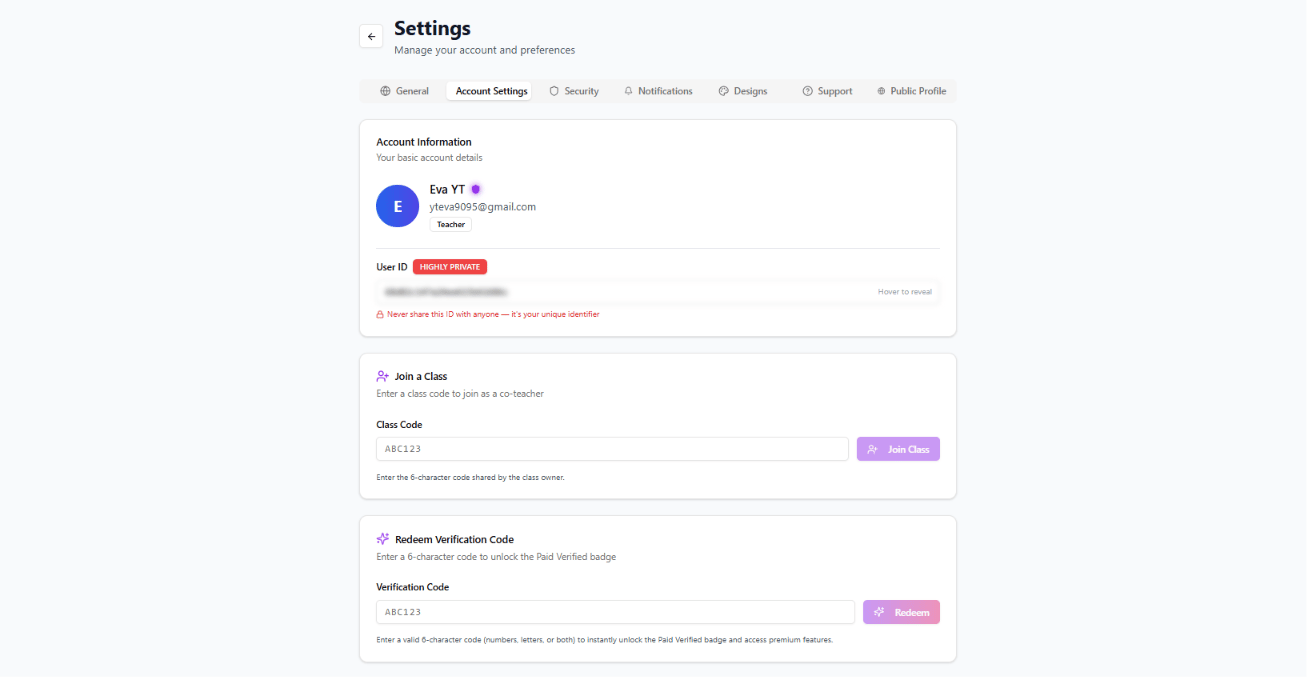
First login to your teacher dashboard. (https://app.math44.org) Go to settings by clicking your name at the bottom right of your screen then settings.
After clicking settings on the top bar click “Account Settings”. Then on the top bar click “Account Settings”.
You might have to scroll down to see the Redeem section.
If you have any trouble with this you may contact support.